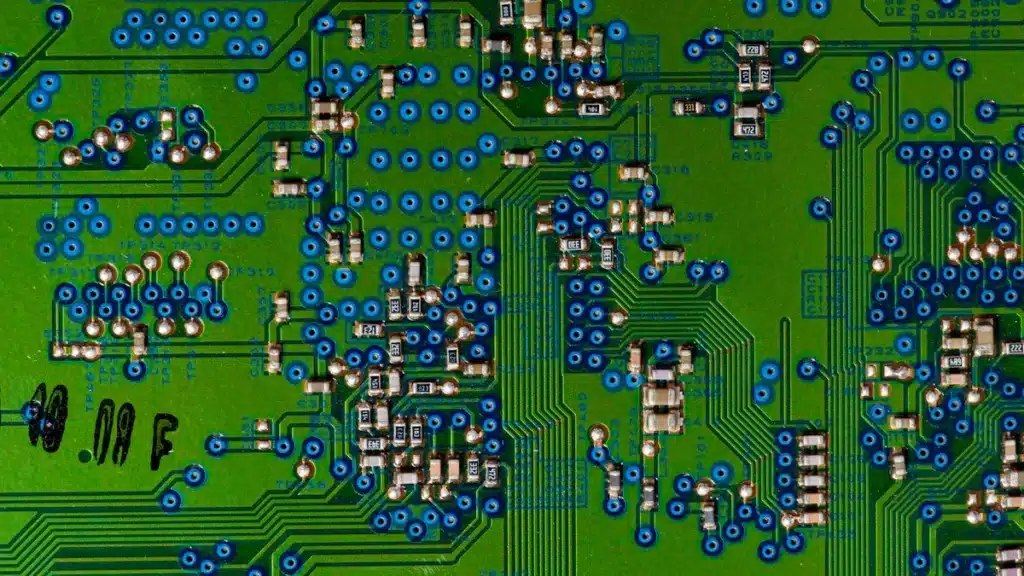
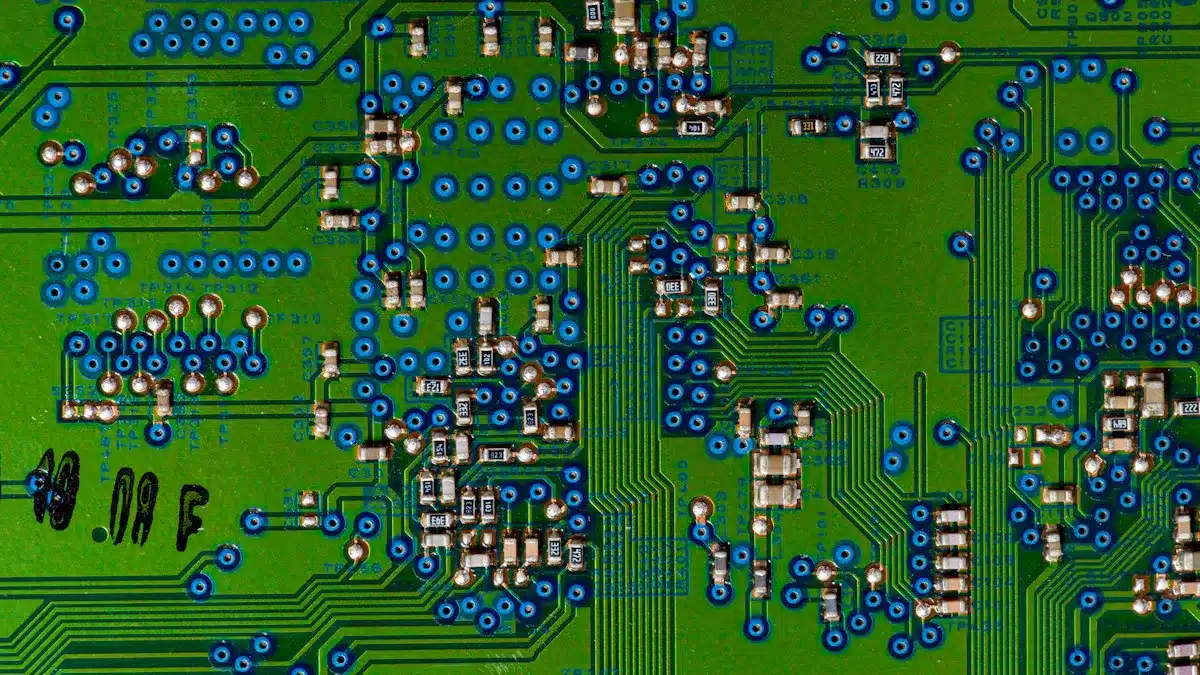
Picking the right PCB design software is very important. This is for engineers in 2025. Good PCB software makes electronics better. The PCB software market will be worth a lot. It will be $5.04 billion in 2025. This big number shows we need good tools. Here are the top 7 PCB Design Software Solutions. These are for engineers in 2025:
Altium Designer
Cadence Allegro PCB Design
Autodesk Fusion 360 for PCB
KiCad EDA for PCB Design
OrCAD PCB Designer
Siemens PADS Professional
Zuken CR-8000 for Advanced PCB
We picked these based on many things. We looked at features and how well they work. We checked how easy they are to use. We also looked at their cost. And how important they are in the industry. More engineers will use this software. It will grow by 6.0% each year. This is because designs are getting harder. Finding the best PCB design software is key. It is needed for today’s projects.
Key Takeaways
Choosing the right PCB software is important. It helps engineers make better electronics.
Top PCB software has strong features. It works well and is easy to use. It also fits your budget.
Altium Designer and Cadence Allegro are for complex projects. KiCad is a free option for simpler designs.
Consider your project’s difficulty. Think about your budget. Also, think about how your team works together.
Good PCB software helps teams work better. It makes sure products follow rules. It also helps products get to market faster.
How We Picked the Best PCB Software
Main Things It Can Do
Good PCB tools need strong features. They must handle many layers. This is for complex designs. They need to check signals. This stops problems in fast designs. A good parts library saves time. It has correct shapes and 3D models. 3D views help check layouts. They find fitting issues. Team tools are also key. They help with sharing and changes. Other main tools include drawing circuits. They check rules as you work. They have smart ways to connect parts. They can test signals and power. They also check heat. They make files for manufacturing.
How Well It Works
Good PCB tools make products faster. Engineers look at how long it takes. This is from start to finish. They check how many designs work the first time. They count mistakes per PCB area. They track how fast products get to market. They see how well tools and people are used. They look at how often designs change. They compare costs to budgets. They measure how fast errors are found. They make sure it follows rules.
How Easy It Is to Use
Easy-to-use software helps you work better. Engineers need simple screens. Good guides help new users. Hard-to-learn software slows projects. Strong community help gives quick answers. This helps engineers solve problems faster.
Price and Licenses
Cost is a big part of choosing software. There are different ways to pay. You can buy it forever. Prices go from $75 to $995. Buying many copies can be cheaper. Schools and charities get special prices. Many companies offer free trials. These often last 30 days. Some even have free versions. These might have limits, like 300 pins.
How Many People Use It
Many people using software means it is good. It shows it is a strong product. It also means good help is available. Good company help gives technical support. Active user groups share knowledge. Regular updates fix things and add new features. This keeps the software useful. It helps with new electronics.
How It Connects with Other Tools
New PCB tools must work with other systems. This includes mechanical design tools. It also includes product management tools. Connecting them smoothly makes design easier. It lowers mistakes. It helps different engineers work together better.
Altium Designer for PCB Experts
Key Features
Altium Designer is top PCB software. It has great tools for engineers. It has many parts you can use. This helps you find what you need. The software brings everything together. This makes designing easier. It can route wires well. It handles special wires and complex parts. It can also route many wires at once. It makes wire lengths just right. Altium Designer shows designs in 3D. Engineers can check their work in 3D. This helps with fitting parts. It works with other design programs. This helps connect electrical and mechanical parts.
Professional Advantages
Many engineers use Altium Designer. Big companies like it too. It helps them design PCBs better. It puts all design steps in one place. This makes fewer mistakes. It helps engineers work faster. The software has smart tools. These check signals and power. They also check heat. This helps find problems early. Altium Designer helps teams work together. It shows how complex parts fit. This makes strong electronic products.
Potential Limitations
Sometimes Altium Designer has small problems. Finding parts can be tricky. You cannot search for many words at once. This is because of how parts are stored. Better search works with newer systems. Engineers should use organized searches. Or they can move to newer systems. This will make searching better.
Best Use Cases
Altium Designer is great for hard PCBs. It works for fast circuits. It is good for many-layered boards. It helps connect electrical and mechanical parts. Companies making advanced electronics use it. This includes phones and airplane systems. Its tools help with tough designs. They meet strict industry rules.
Pricing & Licensing
Altium Designer usually costs a yearly fee. The price changes. It depends on features and support. It also depends on how many people use it. It is a big investment. This shows it is a top software. You need to ask Altium for prices. They will give you a custom quote.
Cadence Allegro PCB Design
Key Features
Cadence Allegro PCB Design is strong. It helps make complex electronics. It has tools for detailed circuit boards. The software is great for fast and packed designs. Its ‘High Speed Option’ is key. This is for Cadence Allegro 17.2. It helps with modern designs. These have fast connections. It works with Gen 4 DDR. This option has special tools. Standard Allegro does not have them. It is good for complex PCB layouts. Use the High Speed Option. This is for many DDR parts. It is also for layout changes. Check the Allegro guide. It has full details. This is for high-speed design.
Professional Advantages
Cadence Allegro is a top tool. It edits and designs PCBs. You can change many layout parts. It has a constraint manager. It has high-speed roles. This makes it good for big digital designs. This helps big company projects. Engineers like its rule management. It keeps signals clear. It delivers power well. It lets teams work together. Many engineers can share one project.
Potential Limitations
Cadence Allegro is hard to learn. New users find it tough. It needs much training. It also needs experience. Its many features can feel too much. The price can be high. This affects small companies. It also affects single engineers.
Best Use Cases
Cadence Allegro is for big companies. It fits projects needing high performance. Companies making fast network gear use it. Car electronics use it. Airplane systems use its power. It is great for advanced tools. It is for complex PCB designs. These need exact control. This is for signal paths. It is also for power flow.
Pricing & Licensing
Cadence Allegro has different licenses. These fit various needs. They also fit budgets.
License Type | Cost |
|---|---|
Yearly Lease | $4,000 (includes technical support and product updates) |
Perpetual License | Starts at around $12,000 (optional yearly maintenance for support and updates) |
The price shows it is a top PCB software. It is for pro engineers. It is also for big groups.
Autodesk Fusion 360 for PCB
Key Features
Autodesk Fusion 360 is strong software. It lives in the cloud. It mixes PCB design with 3D CAD. It also has CAM and CAE tools. This program grew from Eagle. It has a tool to check design rules. This keeps complex PCBs correct. It also links PCB and schematic designs. This means fewer mistakes. It makes products more reliable. SPICE Simulation checks design settings. Placing electronic parts is simple. PCB Routing lets you set electrical paths. It also shows 3D views. This helps check layouts. ECAD-MCAD Integration lets engineers work together. They check how parts fit. They check how they work. This is inside a mechanical product.
Professional Advantages
Fusion 360 joins electrical and mechanical design. It has both in one place. Its 3D view helps engineers. They can fit PCBs into cases easily. Strong tools help teams work together. They do not need to send files back and forth. This stops problems. It prevents parts from not fitting. Design changes happen fast. Everyone sees them right away. This makes product making smoother. These tools help teams. They can get and manage design data from anywhere.
Potential Limitations
Fusion 360 needs good internet. It works in the cloud. Some people may not like paying a monthly fee. They might prefer to buy it once. It has many features. This can make it hard for new users to learn.
Best Use Cases
Fusion 360 is great for small and medium companies. It works for projects that mix electrical and mechanical parts closely. It is also good for teams. They need cloud access. They need to work together in real-time. This PCB design software helps make new products faster.
Pricing & Licensing
Autodesk Fusion 360 uses a subscription plan. The price changes. It depends on how long you subscribe. It also depends on features. They have plans for individuals. They have plans for businesses. They have plans for schools. Users can check the Autodesk website. They can find prices and trial options there.
KiCad EDA for PCB Design
Key Features
KiCad is a strong, free tool. It helps design electronics. It is a good choice instead of costly software. This PCB design software can use up to 32 copper layers. It has 14 technical layers. It also has 13 drawing layers. This means it works for many designs. It handles simple boards. It also handles complex, fast designs. It is free to use. Many people in a group update it often. It works on Windows, macOS, and Linux. It has an Interactive Router. It has a 3D Viewer. It also has a Design Rules Checker (DRC). These tools help make exact layouts. They help avoid mistakes. KiCad links drawings, layouts, and other files. This lowers errors when changing designs. It has a tiny internal size. This makes it very exact for different board sizes. It also has a better look. It has a new Zone Manager tool. This makes managing copper easier. Better drawing design offers a way to pick things. It also links sheet pins. Better PCB design tools let you control vias. They also manage layers. Better ways to save files include improved STEP export. KiCad gives many tools. These help make drawings and circuit boards.
Professional Advantages
KiCad can help small and mid-size companies. It helps them build a business. It works for many designs. It does not have high software costs. This makes it a good choice for work. When looking at design tools, think about profit and risk. KiCad helps with this. It lets businesses manage projects well.
Potential Limitations
KiCad is good for normal PCB design. But other design software has more features. KiCad’s parts library is not its strong point. It does not connect well with company systems. A big problem for KiCad is that helpers have little time. This means many problems are not fixed. Very new or missing features might need special work. Companies would pay extra for this.
Best Use Cases
KiCad is great for people who like hobbies. It is good for teachers. It is also good for small to mid-size businesses. It fits projects that are not super complex. It is perfect for those who need a full PCB design tool. They do not have to pay for licenses.
Pricing & Licensing
KiCad EDA is free software. It costs nothing to use. There are no license fees. There are no monthly costs.
OrCAD PCB Designer
Key Features
OrCAD PCB Designer has strong design tools. They help make electronic product development. It has a good schematic editor. Engineers can manage design pages. These pages can be simple or complex. This software lets you see and change many projects. This helps you work faster. It has many parts you can use. You can also find new parts online. This gives engineers what they need. OrCAD checks your design. It finds mistakes early. This makes sure it is correct. You can change how titles look. You can change borders. You can add pictures. You can move parts easily. You can turn them. They stay connected. It works with different sizes. It has a text editor for digital circuits. You can move around easily. It has good search tools.
For pcb layout editing, OrCAD is easy to use. It works for many needs. It connects all steps. This is from design to making the product. The Constraint Manager checks rules. It checks spacing. It checks connections. It checks wire lengths. It does this in real-time. Automated editing helps you. It keeps you in control. Dynamic Shapes Technology helps with copper. It stops mistakes. OrCAD works with other programs. This helps with making products. It helps with mechanical design. The pcb design software makes pcbs faster. It gives quick ideas. It makes manufacturing simple. It checks rules as you work. It has a new 3d visualization engine. You can see things better. This is in 2D and 3D. This helps with design.
Professional Advantages
OrCAD PCB Designer helps engineers. They can design fast. They can design well. It checks things as you work. It finds errors early. This makes design faster. It is easy to use. This is for all skill levels. It helps you learn quickly. It helps manage data. It connects to parts lists. It helps with changes. Cloud workspaces help teams. Electrical and mechanical teams work together. Strong rule checking helps. It makes sure rules are followed. This is for complex pcb layouts. The advanced design tools help. Simulation tools help too. They test and make things better.
Potential Limitations
OrCAD PCB Designer is powerful. But it can cost a lot. This is for small companies. It is also for single engineers. It has many features. This is good. But it can be hard to learn. This is for new users. This is for professional pcb tools.
Best Use Cases
OrCAD PCB Designer is good for engineers. It is good for mid to large companies. They need a full pcb design tool. It is great for fast design. It is good for mixed-signal boards. It is good for testing. Companies want to work well. They want to work together. They will like OrCAD. This is for their electronic product development.
Pricing & Licensing
OrCAD PCB Designer usually has a subscription. You pay regularly. The price changes. It depends on features. It depends on support. It depends on how long you pay. You need to ask Cadence for prices. They will give you a custom price.
Siemens PADS Professional
Key Features
Siemens PADS Professional has strong tools. They help make new electronics. It helps manage big designs. It has good ways to place and connect parts. It also handles power well. This software shows designs in 3D. Engineers can check their work. This helps find problems early. It works with other tools. These tools check signals and power.
Professional Advantages
PADS Professional is not too expensive. It helps with professional PCB design. It is good for engineers and small teams. The software is easy to get. It is easy to use. It helps switch from free tools. It makes designs faster. It helps engineers get designs right the first time. This saves time. It helps products get to market faster. The software has smart design tools. It covers everything. This is from drawing to making the PCB. It can route wires much faster. This helps with hard designs. It works for flexible circuit boards. It understands tricky shapes. It also has tools for RF design. This is for wireless devices.
Potential Limitations
Siemens PADS Professional is strong. But new users might find it hard to learn. It has many features. It takes time to learn them all. The price might be high. This is for very small companies. It is also for people who do hobbies.
Best Use Cases
PADS Professional is great for engineers. It is good for companies. They need good PCB design tools. It works for simple to hard PCB designs. It is very good for fast signals. It is good for flexible boards. It is good for RF circuits. Companies want to make electronics fast. They will like how well it works.
Pricing & Licensing
Siemens PADS Professional uses a subscription. You pay regularly. The price changes. It depends on the tools you need. It also depends on how long you pay. You should ask Siemens for prices. They can tell you about their plans.
Zuken CR-8000 for Advanced PCB
Key Features
Zuken CR-8000 helps with advanced PCB and making things. It checks signals, power, and EMI. This happens before and after design. The software works with Ansys and Keysight. It helps make IC packages. This includes single and multi-die types. CR-8000 has a system for parts and data. It helps teams work together. It manages projects. It reuses data. It connects with PLM systems. This helps with making products. It also syncs part info. CR-8000 makes wire harnesses. This links PCB, wires, and MCAD. The System Planner tool helps design PCB parts. It checks them. It combines multi-board work with MCAD cases. It plans space. It checks cost and weight. CR-8000 looks at AI in PCB. It is ready for AI. Its Design Force module helps with multi-board work. It helps with MCAD. It helps with wire harnesses. It also helps make chips, packages, and boards together. This is for complex electronics. The software gets data ready for making. It checks it. This includes making panels. It checks rules in real-time. It checks making and putting parts together. This lets you design and make anywhere. It makes manufacturing better. It has tools like automatic copper flooding. CR-8000 makes full manufacturing papers. It makes drill tables automatically. It makes things easily. It has good security. It reuses things. Layout is more efficient. It controls area fill. It has better contour routing. It has strong analysis tools. These combine signal, power, and EMI checks. It gives full PCB EMI and Power Analysis tools. This tool set also has strong 3D views. This helps engineers check complex PCB layouts. Its combined mechanical and electrical tools make the whole process smooth.
Professional Advantages
Zuken CR-8000 is great for hard, multi-board projects. It has good analysis tools built-in. This helps make fast circuits. It checks signals and power well. The system makes package abilities stronger. It helps put chips on boards. It fixes 3D IC package problems. CR-8000 helps make semiconductor packages. This is key for 2.5D/3D packaging. This includes ‘chiplets.’ It has smart ways to route wires. This includes auto-interactive routing. It works well with high-density interconnect (HDI) layouts. It has good rule management for fast circuits. It checks signals and power fully. It has good multi-board features. This PCB design software helps engineers make new products.
Potential Limitations
Zuken CR-8000 costs a lot. This can be a problem for small companies. It can also be a problem for single engineers. It has many features. This means it takes a long time to learn. New users need much training. They also need experience.
Best Use Cases
CR-8000 is best for big companies. It is good for very complex projects. It works for fast and multi-board systems. It is great for new packaging like 2.5D/3D ICs. Companies making new electronics will find it very helpful.
Pricing & Licensing
Zuken CR-8000 usually has a subscription. Or you can buy it forever. The price changes a lot. It depends on the tools you need. It depends on features and help. You should ask Zuken for prices. They will give you a special price.
Picking the Best PCB Design Software
Thinking About How Hard Your Project Is
Picking the best software starts with knowing how hard your project is. Simple projects do not need special wires. They do not have many wires. KiCad or EasyEDA often work well for these. KiCad is free and has strong tools. EasyEDA works on the internet. It connects with makers. Hard projects need strong tools. These include RF, fast digital, or sensitive analog parts. Altium Designer and Cadence tools like Allegro have advanced features. Altium can test circuits. Proteus is great at testing. Very hard projects have big teams. Many people work at once. Tools like Cadence Allegro Design Authoring help. This manages physical limits. It lets many users edit.
Good Software | Main Features/Limits | |
|---|---|---|
Simple (no special wires, few wires, small teams) | KiCad | Costs little. Has extra parts. Does not have advanced features. No automatic wire length control. No EM solver. |
Hard (RF, fast digital, sensitive analog parts) | Altium, Cadence tools (like Allegro) | Altium has SPICE testing. It has an Electro-Magnetics solver. This is for wire thickness and delay. Cadence tools are very good for hard needs. |
Very Hard (big teams, working at same time, many users editing) | Cadence Allegro Design Authoring (HDL) | Very important for managing physical limits. This is in the drawing tool. It helps with working at the same time. It helps with many users editing. |
Looking at Money and What You Get Back
Engineers must think about money. They must think about what they get back. Free software like KiCad costs less at first. Professional pcb design software often costs a lot. This money usually buys advanced features. It buys better help. It makes work faster. Companies should compare the cost. They should compare it to saving time. They should compare it to better designs. This makes sure the software gives good value for a long time.
What Your Team Needs to Work Together
Making new electronics needs teams to work together. The best pcb design software helps teams work well.
Managing Information: One place for all information helps. It is often on the internet. Everyone sees updates right away. This stops using old information. Centralized information helps people work at the same time. It makes design faster.
Making Designs One: One CAD program for electrical and mechanical designers helps. It stops problems when connecting things. It helps people work together in real-time.
Working Offline: Internet tools that work offline are key. This is for teams far apart. They can get information and tools anywhere. Other key tools for working together include tracking live work. They include keeping track of changes. They include fixing problems when merging. These features make sure the design stays together.
Rules for Specific Industries
Different industries have special rules for pcb design software. Airplanes and medical devices need to follow strict rules. Car electronics need strong designs. This is for tough places. Engineers must pick software that follows these rules. This makes sure products are safe and reliable.
Making Your Money Last
Picking software for a long time is important. Engineers should pick pcb design software that grows with new tech. Look for companies that update often. Look for good customer help. A busy group of users also gives good help. This makes sure your money stays useful. It helps with future design problems.
The best PCB design software helps engineers. It matches what a project needs. It also fits the money they have. It is very important to check features. Look at how well it works. See what help the company gives. Engineers should try free versions. They should talk to other users. This helps them choose. PCB design keeps getting better. So, software must change too. Picking the right tool helps make new products well. It makes them fast.
FAQ
❓ Which PCB design software is best for beginners?
KiCad EDA is a great choice. It is good for new users. It has many tools. It costs nothing. Many people use it. They help each other. This helps new users learn fast.
💼 Can professional engineers use free PCB design software?
Yes, engineers can use free software. KiCad EDA is one example. It can do many hard projects. It might not have all the fancy tools. Paid software has more. But it works for many jobs.
🖥️ Why is 3D visualization important in PCB design?
3D views help engineers. They check how parts fit. They make sure the PCB fits inside cases. This finds problems early. It stops expensive fixes later.
☁️ How does cloud-based PCB software benefit engineering teams?
Cloud software helps teams work together. Autodesk Fusion 360 is one. Teams can see and change designs. They can do this from anywhere. This makes work smoother. It stops mistakes with different versions. It makes projects better.
See Also
Exploring Tomorrow’s Innovations in PCB and PCBA Manufacturing
Key Considerations for Selecting a Top-Tier PCBA Manufacturing Partner
Boosting Your Expertise: Practical Advice for PCBA Engineering Professionals
Guiding Your Choice: Selecting the Optimal Main PCBA Solution
Finding the Ideal PCB Prototype Manufacturer for Your Specific Project