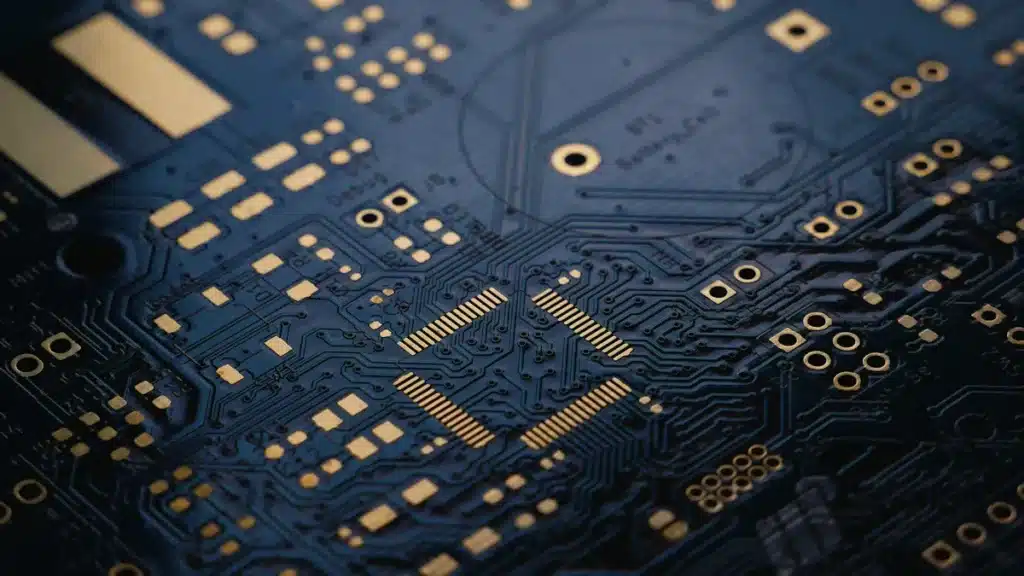

Getting the trace width right is crucial for optimal PCB designs. It ensures strong signals, proper trace routing, and reliable power delivery. High-speed designs demand precise trace impedance. Consider the current a trace carries, as well as the copper thickness and operating temperature, as these factors significantly influence a trace’s current handling capacity. Choosing the best pcb calculator can be challenging, given the numerous online options. This guide will assist you in making an informed decision. We’ll review top tools and discuss key considerations, including IPC-2221 rules for your PCB. You’ll gain an understanding of current and temperature implications for every PCB trace.
Key Takeaways
Correct PCB math is key. It stops signal issues. It makes sure power flows well.
A PCB tool finds trace width. This stops things from getting too hot. It makes current flow safely.
Pick a calculator based on your skill. Think about what your project needs. Also, think about your materials.
Always look at your math answers. Use other tools to check. This makes sure your PCB plan is right and safe.
Why Accurate PCB Calculations Matter

Signal Integrity: Preventing Reflections and Crosstalk
Accurate calculations are very important. They help with signal integrity. You want signals to move smoothly. Bad trace impedance causes signals to bounce back. This makes signals weaker. For example, using 100Ω instead of 90Ω is bad. It causes errors. Data can even be lost. Faster signals show more problems.
Crosstalk is another issue. Signals on one trace can bother others. Traces too close cause this. Electric fields can interact. Magnetic fields can also interact. Gaps in ground planes cause problems. Keep traces spaced out. Use a good pcb calculator. This stops problems in high-speed designs.
Power Delivery: Minimizing Voltage Drop and Heat
Good power delivery is key. Your PCB needs to work right. All parts need enough current. A pcb trace width calculator for current helps. It finds the right trace size. ICs need steady voltage. It should be within ±3–5%. Too much voltage drop is bad. ICs might not work. A trace with 2A needs little voltage drop. It should be less than 0.1V over 2 inches.
Thin traces also get too hot. Copper traces create heat. This happens with high current. It is called Joule heating. Bad design makes temperature too high. This can harm performance. It can cause failures. The IPC-2152 helps. It guides on current and temperature. This helps you find safe trace widths.
Understanding the PCB Trace Width Calculator’s Role
A pcb trace width calculator is a key tool. It helps find the right trace width. This makes sure your PCB handles current. It prevents overheating. An online pcb trace width calculator asks for info. It needs current in amps. It needs copper thickness. It needs allowed temperature rise. You also say if the trace is inside or outside. The pcb trace width calculator temperature feature helps. It manages heat. It ensures safe current flow. This follows standards like IPC-2221. This tool is vital for good trace width calculations.
Manufacturing Considerations: Ensuring Reliability
Good calculations help manufacturing. They make sure your PCB is built well. Manufacturing limits are important. Changes in trace width and spacing matter. They affect impedance. They affect power. This changes how it works. Bad limits can cause problems. Traces can be etched wrong. This causes defects.
Limits also affect heat. They affect strength. Good control helps production. It lowers defects. It saves money. The IPC-2221 standard gives rules. It covers trace sizes. Use a trace width calculator ipc-2221 compliant. This helps meet standards. It makes sure your PCB layout design tools create good designs.
Key PCB Calculator Features

When you pick a pcb calculator, look for certain things. A good one does more than simple math. It has strong material lists. It also has fancy choices.
Calculation Types: Trace Width, Impedance, Current Capacity
A strong pcb trace width calculator has many uses. It helps find trace width. This is based on current and temperature. You can also size vias. This is for current and temperature. Some tools find max trace length. They look at how fast signals rise. They also help with trace spacing. This is based on voltage. You can set padstack features. This is from the finished hole size. Other calculators check impedance problems. They figure out copper surface area. This is for cooling parts. A main calculation type is in the ipc-2221 standard. It links temperature rise, trace width, and current. This is key for heat safety. An online pcb trace width calculator should meet these needs.
Material Properties Database
Good math needs good material facts. Your calculator needs a strong material list. This list should have Dk. It also needs Df. These are key for trace impedance. Heat needs thermal conductivity. Tg shows how strong it is against heat. CTE shows how much it changes size. For example, FR4 is a common pcb material. It has special traits:
Dielectric constant (Dk): 3.5 to 4.8 (changes with speed)
Loss factor (Df): About 0.02 (changes with speed)
Glass transition temperature (Tg): About 120 °C for low-Tg types
Thermal conductivity: About 0.25 W/(m·K)
User Interface and Ease of Use
You want a calculator that is simple to use. A clear screen saves time. You should put in your numbers fast. The answers should be easy to get. A good screen makes hard math easy. It helps you focus on your plan. Not on the tool.
Advanced Options: Temperature, Differential Pairs
Fancy calculators have extra features. They have a special field solver. This finds differential pair impedance. You can find signal delay. You can also fix signal timing. These tools help with length tuning. They find sizes and spots automatically. You can check crosstalk. This is between microstrip and stripline trace designs. A pcb trace width calculator temperature feature helps control heat. It is vital for high-speed designs. It is also vital for signal integrity analysis. These tools work with different differential pair setups. They also work with mixed pcb models. This gives better impedance. It looks at many layers. They find total signal loss. This includes material and wire loss. It looks at loss factor, speed, and trace length.
Reliability and IPC-2221 Standards
Being reliable means following rules. IPC-2221 is a general rule. It is for pcb design. It sets what to expect. It gives tools to follow rules. An ipc-2221 calculator helps find spacing. This keeps the board safe. It is safe at its working voltage. The ipc-2221 standard gives rules for electrical space. This includes gaps and creepage. It stops electric sparks. It also stops short circuits. The rule has charts and math. These find the right trace width. They look at current, copper thickness, and temperature rise. This stops too much heat. A pcb trace width calculator for current helps meet these rules. It makes sure safe current flow. Following these rules avoids build problems. It makes vias work. Following ipc-2221 makes it safe. It makes it easier to build. It builds trust. A trace width calculator ipc-2221 compliant helps you do this. It makes sure your pcb layout design tools make good designs. These trace width calculations save money later. They also make it reliable.
Top Online PCB Calculators
You have many choices. You can find a pcb calculator. Each tool is good at some things. Each tool has weak spots. Pick the one that fits your work best. This part looks at some online tools. It helps you know when to use each one.
Saturn PCB Toolkit: A Full Tool
The Saturn PCB Toolkit is a strong tool. Many engineers use it. It can do many calculations. You can find trace width. You can find impedance. You can find resistance. It is a program you download. This tool is very exact. It is also free to use.
But, this tool is not fully online. It has many features. These can be too much for new users. A big problem is that its math can be wrong. This happens if your maker’s materials are different. They might not match the software’s models. Even good calculators like Saturn can be wrong then.
Smart engineers like this toolkit. It helps with hard designs. You can check things closely. You can pick IPC versions. This is for current math. You can change copper weight. You can change conductor etch. You can turn off via height math. You pick units like inches or metric. You set base copper weight. You set plating thickness. You pick materials. They have set or custom Dk. They have glass temperature. You put in the heat rise you want. You put in the room temperature.
The Saturn PCB Toolkit is best. It is for exact math in pcb design. It is a key helper. It gives accurate math. This is for trace width and impedance. It helps you figure out:
Via current
Differential pairs
Microstrip
Stripline
Planar inductor
Padstack
Crosstalk
Ohm’s Law
XC XL Reactance
BGA Land
Er Effective
Wavelength
PPM
AppCAD: RF and Microwave Standard
AppCAD is another known tool. Broadcom and HP made it. It is a standard tool. It is for RF and microwave design. This tool is trustworthy. It works for many line types.
The screen looks old. It mostly runs on Windows. New users might find it hard. RF engineers use AppCAD a lot. It is great for fast signals.
Rogers Corporation Calculators: Material-Specific Accuracy
Rogers Corporation makes special PCB materials. They also have calculators. These tools are very exact. They are for Rogers materials. They have material facts built-in. For example, they have MWI-2010 data.
These calculators only work for Rogers materials. This limits their use. They are for special cases. Use them if your design uses Rogers parts. This is for high-level work. These calculators help you:
Design fast circuits. These are like filters. These are like couplers.
Calculate for normal microstrip lines. Calculate for stripline lines.
Calculate for edge-coupled microstrip lines. Calculate for offset stripline lines.
Calculate for conductor-backed coplanar-waveguide (CBCPW) lines.
They give fast and correct answers. You get them right away. They figure out microwave impedance. They figure out loss of lines. They find the effective Dk. They find signal wavelength. They find skin depth. They figure out electric length. This is for a line at a certain speed. They guess temperature rise. This is for a material. It is based on input RF power.
EDA Built-in Calculators: Integrated Design Flow
Many pcb layout design tools have calculators. They are built-in. Altium, KiCad, and Eagle are examples. These calculators are part of your design. They are handy for quick checks. You can use them while you design.
These tools might not be as full. They are not like separate tools. They are tied to specific EDA software. Designers use these to check things in real-time. EDA built-in calculators are good. They help manage heat in pcb design. The IPC-2152 calculator is one example. This tool helps guess trace heating. It finds the needed trace widths. It bases this on current and temperature rise. This is key for power parts. It is key for very reliable systems. It helps you follow rules. These are for conductor size on PCBs. This makes sure safe current flow.
Generic Online PCB Trace Width Calculators
You can find many general online pcb trace width calculator tools. AdvancedPCB, Sierra Circuits, Digi-Key (IPC-2141), Megabyte Circuit, PCBWay, and JLCPCB are examples. These tools are fast and easy. They are often free. They are good for basic checks. They are good for first guesses.
These calculators may not have advanced features. Their accuracy can change. They have few material choices. They might not strictly follow ipc-2221 rules. They are best for quick guesses. New users find them helpful. They work well for standard FR-4 designs. Use them for less important jobs.
These calculators are good in many ways:
Speed: They give answers fast. You put in a few numbers.
Accuracy: They use built-in math rules. These are based on standards. ipc-2221 is one. This helps lower math errors.
Accessibility: Most tools are free. They are online. You do not need special programs.
Customization: You can change inputs. These include temperature rise. These include copper thickness. This matches your design needs.
User-Friendly: They help new users. New users may not know all the math. They also help busy designers.
But, you must be careful. Mistakes can happen. This is if your inputs are wrong. You might only think about average current. This can make traces too small. You might forget temperature rise. Setting a too high temperature can cause overheating. Safer values like 10°C are better. This is unless you have extra cooling. You might not think about layer spot. Inside traces need to be wider. They let out less heat. Manufacturing limits are also key. Calculated trace widths must be possible to make. Makers have minimum width limits. ipc-2221 is used a lot. But it can make traces wider. For important jobs, IPC-2152 might be better.
The math these calculators use comes from ipc-2221 data. They work for currents up to 35 Amps. They work for trace widths up to 400 mils. They allow temperature rise from 10 to 100 degrees Celsius. They work for copper from 0.5 to 3 ounces. This is per square foot. Using the pcb trace width calculator outside these ranges. It will be less exact. Temperature rise is the difference. It is between the max safe heat. This is for the pcb material. It is also the board’s normal heat. A 10-degree temperature rise is a safe rule. This is for most uses. Higher values can make trace width smaller. This is if the pcb material allows.
Generic pcb trace width calculator for current tools mostly find trace widths. They stop overheating. They think about temperature rise. They think about current. They think about trace spot. Outside layers move heat better. Inside traces are wider. This is for the same current. This is for the same temperature rise. The calculators use old math rules. These are for pretty long lines. They are not good for very short spokes. These spokes are cooled by a plane. The math rules do not think about this. A pcb trace width calculator temperature feature helps you control heat well.
Choosing Your PCB Calculator
Consider Your Experience Level
Your skill level helps you choose. New users should pick simple tools. They have basic features. Expert designers need more. They work with hard designs. You will find a tool for you. This helps you learn.
Project Complexity and Requirements
How hard your project is matters. Easy projects need simple math. Hard projects need more. For example, you might use tiny holes. You might use many layers. These need a smart calculator. It handles exact current. It handles temperature for each line.
Material Needs: Standard Versus Specialized
Think about your materials. Normal FR-4 boards work with many tools. If you use special materials, you need special tools. Rogers calculators are good for their unique boards. These tools know your copper’s traits. This makes line math correct.
Integration with Design Workflow
Adding your calculator to your work saves time. An online calculator can do tasks for you. This helps find how many boards fit. This uses less material. It lowers the cost per board. You get faster making. This is true for big orders. It also helps the Earth. It makes less trash. You get better quality. Boards made together are the same.
Adding a PCB line calculator helps your work. It makes the product better. It makes it work well. This helps you make good layouts. It saves time and money. It stops costly board fixes. PCB designs get harder and faster. These calculators become very important. They help you make strong systems.
Why it helps:
It is exact. You get better results.
It is fast. You can quickly change designs.
It is steady. Results are the same everywhere.
It costs less. You fix lines before making. This stops costly board fixes.
It works better. Signals are cleaner. The system works better.
Verification: Cross-Referencing Results
Always check your answers. Use many tools for key math. Check impedance numbers. Compare them to known rules. Look at design guides. Look at industry best ways. This makes sure your numbers are right. Adjust your math if needed. This checks your line designs. It makes sure your board meets IPC-2221 rules. This is for current, heat, and copper.
The best pcb calculator is for you. It fits your project. It fits your skill. You need to know about trace width. You need to know about impedance. These are key for your pcb design. Remember how current affects traces. Remember how temperature affects traces. This includes copper thickness. Try different tools. Do not use just one online pcb trace width calculator. Not all online tools are checked. You must check a calculator. A good pcb trace width calculator shows its math. It shows which ipc-2221 rules it uses. This helps you check it. You must check important trace math. This makes your pcb design work. Put in part data carefully. Bad impedance can hurt signals. This happens even with a calculator. Your trace designs must meet ipc-2221 rules. This is for current and temperature. This makes sure current flows well. It controls temperature for every trace on your pcb. Think about the copper weight for each trace.
FAQ
Why is a pcb trace width calculator important?
This tool helps you. It finds the right trace width. Your board handles current. It does not get too hot. This makes your PCB safe. It works well.
How does current change trace design?
Current changes trace width. Too much current in a small trace is bad. It makes heat. It drops voltage. Make traces the right size. This stops problems.
Why is temperature important for PCBs?
Heat can hurt your PCB. It makes it work worse. It shortens its life. Think about temperature. Do this when sizing traces. Your board will work safely. It will work well.
Are all online pcb trace width calculator tools good?
Many online pcb trace width calculator tools exist. They give quick guesses. But they are not all exact. Always check important math. Use better tools. Use industry rules. This keeps your design safe.
See Also
Selecting the Optimal Main PCBA: Key Considerations for Your Project
Choosing a Reputable PCBA Manufacturer: Crucial Advice for Success
Expert Guidance: Selecting the Ideal PCBA Contract Manufacturing Partner
Effective Strategies for Choosing Superior PCB Assembly Services Wisely
Finding the Perfect PCBA Manufacturer to Meet Your Business Requirements